← Essays · November 4, 2026 · 14 min read
How to Preserve Memories So Your Family Can Keep Them
Practical ways to preserve memories: protect photos and keepsakes, record stories, back up files, and turn it all into a book your family can share.
How to Preserve Memories So Your Family Can Keep Them
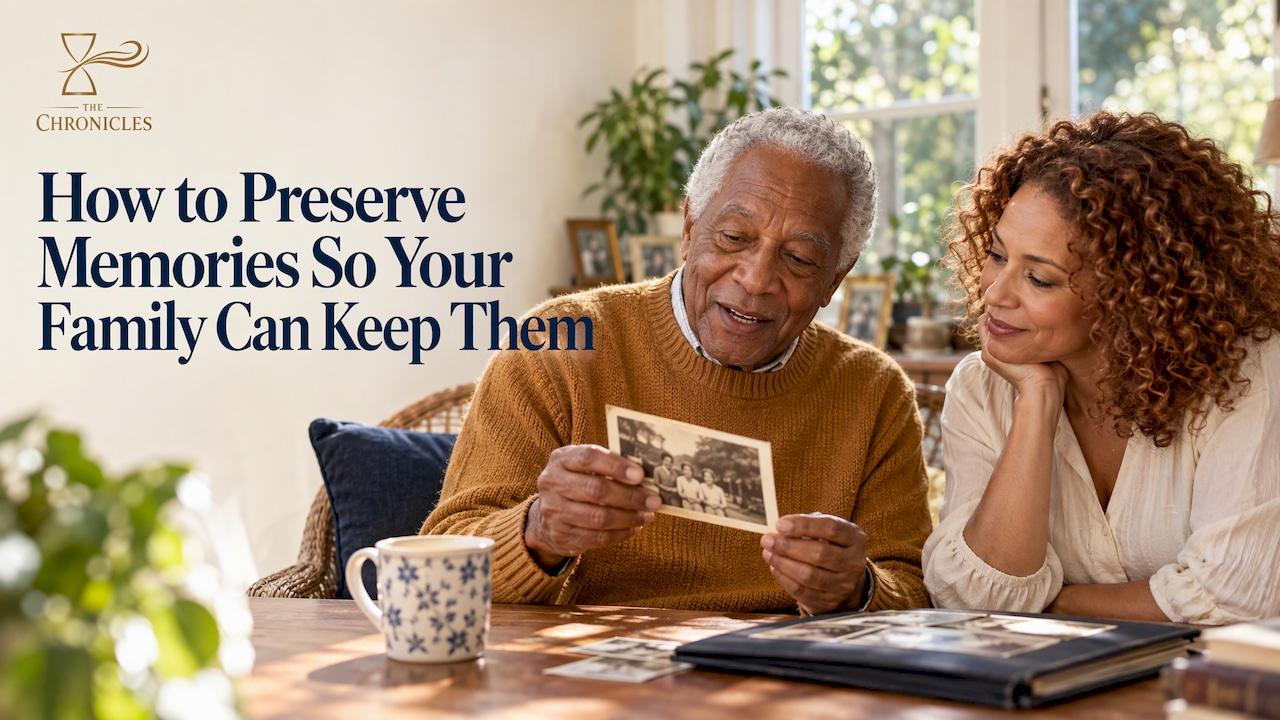
To preserve memories, do two things together: protect the physical and digital things that hold them (photos, letters, videos), and capture the stories only people can tell you, such as who is in the picture, where it was taken and why it mattered. A photo without its story is a lovely mystery. A story without a safe home can disappear with one hard drive or one generation. This guide walks you through both, starting small.
TL;DR
- Start with the memories that matter most: the oldest photos, the people you could still ask, the items you would grieve to lose.
- Protect originals with cool, dry storage and archival folders and boxes, and keep at least two digital copies in separate places.
- Record the story behind each item while the people who know it are still here. A few questions and a phone are enough.
- Gather it all into one place, such as a book, so the memories can be read, heard and passed on.
- Ask permission before you record or share someone's story, especially when children are involved.
Table of Contents
- What it means to preserve a memory
- Start by choosing what to keep
- Protect the physical originals
- Digitize, then back up
- Capture the stories behind the pictures
- Turn memories into something you can hold and share
- Ask before you record or share
- Perspective: why we built The Chronicles
- Make it easier with The Chronicles
- A simple plan for your first month
- FAQ
- Sources
What it means to preserve a memory
A memory lives in two places: in objects and files, and in people's heads. Preserving it means looking after both.
The U.S. National Archives describes preserving digital materials as taking steps so they last a lifetime, so you and your family can look at selected photos, email and other files in the future. It also points out something every family knows in their gut: if a photo is lost, the information it holds can never be replaced.
Then there is the human side. Stanford Medicine's Legacy Project booklet calls a legacy a gift from one generation to the next. It describes the goal of preserving memories as helping people and families understand the meaning of their life history, love and relationships, and capture the past in a concrete way.
So a shoebox of photos is a start. A shoebox of photos with names, places and a few sentences about each one is a family history.
Start by choosing what to keep
You do not need to save everything. Trying to will stall you before you begin.
The New York State Archives offers questions to help families decide what to save. Does the item capture something unique about a person? Does it help tell an important family story? Could it matter beyond your family, perhaps to a local historical society?
A simple first pass looks like this:
- Pull out the irreplaceable. Original prints, negatives, letters in a loved one's handwriting, a recipe card with a stained corner.
- List the people you can still ask. A grandparent, an aunt, a family friend who was at the wedding. These conversations come first because they cannot be redone later.
- Set a small goal. One box, one relative, one afternoon. Momentum matters more than a perfect plan.
If you are clearing out a home and cannot keep everything, the same archives page suggests a gentle option: photograph an item or set of items, or video a room before the contents are dismantled or dispersed. You keep the memory even when the object goes.
If you are letting go of keepsakes such as event items or decorations, you can document keepsakes before letting them go with photos and short notes about where each came from.
Protect the physical originals
Paper and photographs are sensitive to heat, damp, light and handling. The good news is that most of the fixes cost very little.
Temperature, humidity and light
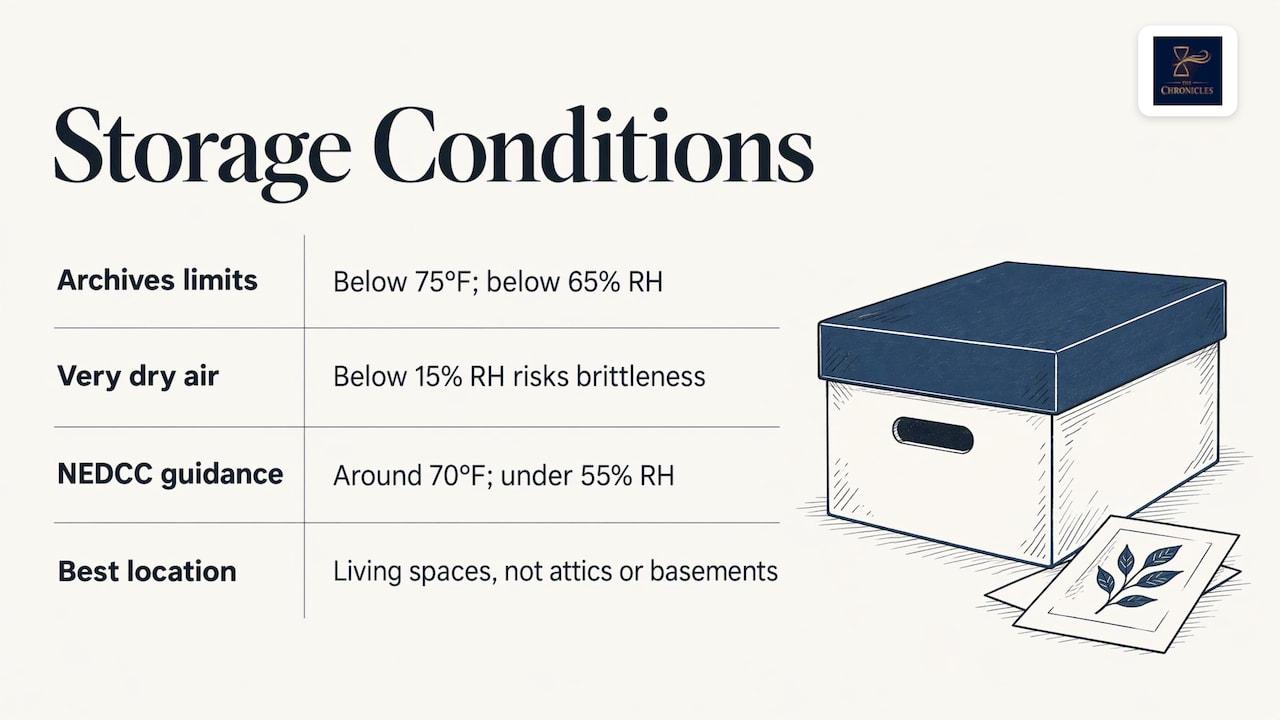
The National Archives recommends storing family papers and photographs below 75 degrees Fahrenheit and below 65% relative humidity. That limits mold and insect activity. It also warns against very dry air, below 15% humidity, which can make materials brittle. The NEDCC's guide to caring for family collections says that around 70°F and relative humidity under 55% can significantly improve a collection's lifespan, and that living spaces tend to stay in that range while attics and basements do not.
In plain terms: keep your boxes where you would be comfortable sitting. A closet in the main part of the house beats the attic or the basement.
The Smithsonian's National Museum of African American History and Culture adds a few habits in its Family Treasures Toolkit: avoid bright or direct light on sensitive materials, clean objects with a soft lint-free cloth, guard against pests, and keep items away from pipes, sprinklers and damp basements.
Folders, boxes and sleeves
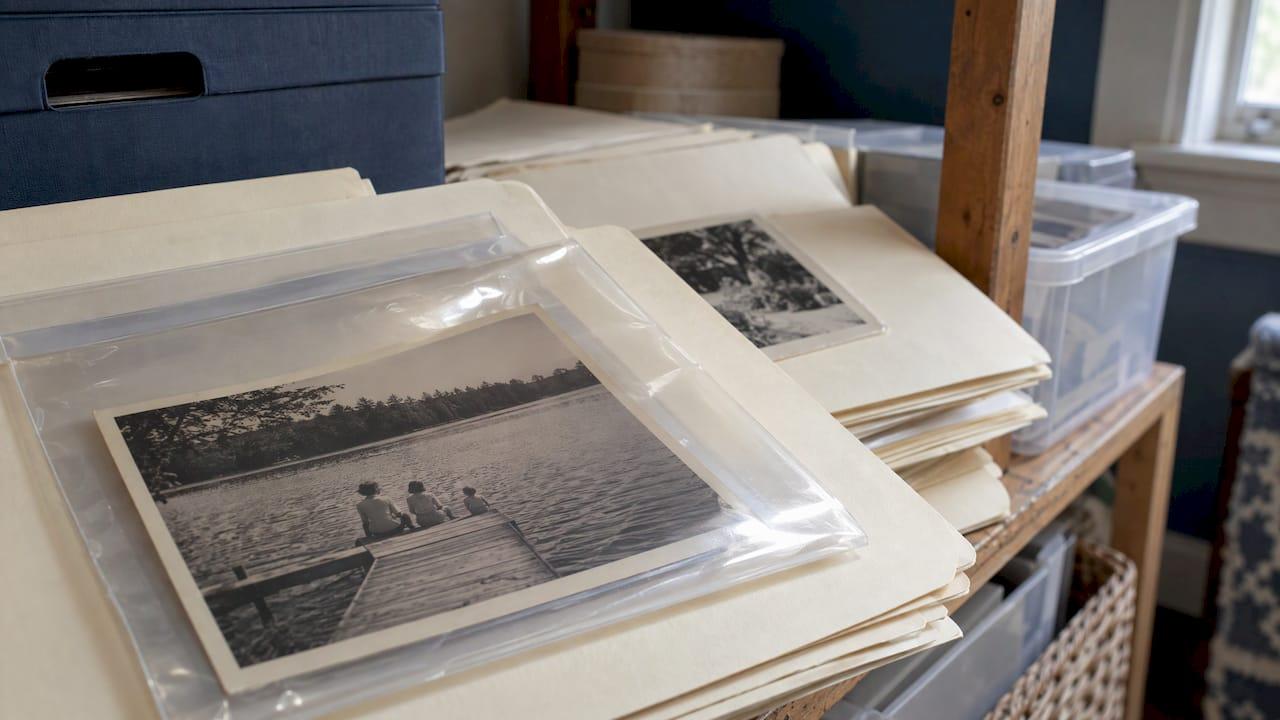
The same toolkit recommends archival, acid-free folders, sleeves and boxes. It also says to avoid laminated albums, PVC sleeves, staples, paperclips, tape and glue, and to keep photos flat rather than rolled or folded. The National Archives suggests lignin-free, acid-free or buffered board for containers, and polyester sleeves for individual documents that are weak or brittle.
Handling
The National Archives' researcher newsletter advises handling photographs by their edges, writing identifying information on folders in pencil only, and displaying digital copies instead of originals to protect them from light. Harvard's preservation library adds the simple rules of clean hands and keeping food away from your materials.
Digitize, then back up
Scanning gives your originals a rest and gives your relatives a copy. But a scan sitting on one laptop is not preserved. It is just newly fragile.
The Library of Congress's personal archiving brochure advises making at least two copies in separate places, checking them at least once a year to be sure they still open, and creating new media copies every five years or when needed.
The American Red Cross suggests copying photos, videos, DVDs and tapes, backing up regularly on multiple devices, using a cloud service, trading backups with a friend or relative, and converting old or obsolete files to modern formats.
A workable routine:
- Scan in batches. One envelope at a time, so you finish something every session.
- Name files with meaning. "Grandma-Rose-1962-Lake-Erie" will still make sense in twenty years. "IMG_4471" will not.
- Keep one local copy and one cloud copy. Put a reminder in your calendar each year to open a few files and make sure they work.
- Share a copy. A sibling's hard drive is a very good second location.
Capture the stories behind the pictures
This is the step most families skip, and it is the one that cannot be done later.
The Smithsonian toolkit encourages families to record the history and significance of treasured items by talking with people about their memories, pulling out photos and heirlooms, and writing down how each item was acquired and why it mattered.
Sit down and record
Baylor University's family oral history guide suggests researching the person's life and timeline to shape your questions, and choosing audio or video based on how comfortable your relative is. Some people relax with a microphone and freeze in front of a camera, so let them choose.
Questions that tend to open doors:
- What is the first house you remember?
- Who taught you to cook, and what did the kitchen smell like?
- What was the best day of your working life? The hardest?
- Which photo in this box is your favorite, and why?
- What do you hope we never forget?
For more tips, see our guide to recording a grandparent's life story.
When a sit-down interview is not possible
Some relatives live far away. Others are not comfortable with video calls or apps. A gentle alternative is a series of questions sent by email, answered a little at a time, in their own words and on their own schedule. We built this into The Chronicles for exactly that reason: the relatives you most want to hear from do not need a login to take part.
If time feels short, our essay on preserving family stories before they are gone is a good place to begin.
Why it is worth the effort: the Stanford Legacy Project booklet describes the Life Tape Project, which began in the early 1970s with cancer patients and their families. It reported that 70% of participants shared personal philosophies, 65% gained perspective and meaning about their family, and 57% reported improved communication. Telling and hearing a life story does something for the people in the room, not only for the archive.
Turn memories into something you can hold and share
Boxes and hard drives keep memories safe. They do not always get them read. The Smithsonian Folklife and Oral History Interviewing Guide lists ways to present what you gather: transcribing recorded interviews, writing a family history, compiling a recipe book, making a memory quilt, building a website, or producing a video documentary or podcast. The guide also quotes Margaret Mead on gathering records and keepsakes for a grandparent book, and says family legends belong in history alongside the events they grew from.
A book is the format that most often survives. It sits on a shelf, gets passed to a grandchild, and needs no password.
A baby book that tells the story
New parents rarely have time for a perfect baby album, and that is fine. A short chapter for each month works better than a long entry written once a year. One photo, a few lines about what made you laugh or worry, and a note about who visited. Invite grandparents to add their own memories of the first weeks, so the book holds more than one point of view.
A memorial book that keeps a voice
When someone has died, the instinct to gather their memories is strong, and so is the fear of forgetting the details. Start with what you have: photos, letters, a favorite recipe. Ask siblings, cousins and old friends to send a memory each. A memorial book does not have to be finished in a week. It can grow as people remember more.
If you want to begin with pictures, see how to turn old family photos into a book.
Ask before you record or share
A memory belongs first to the person who lived it. Before you record, say what you plan to do with it: keep it in the family, share it with cousins, print it. Let them skip a question, stop the recording, or review the result.
Sharing photos of children deserves extra thought. Parents who are separated or divorced may have agreements about what can be posted, and a clear one prevents conflict later. If that is your situation, this page on posting kids online after divorce explains how a social media clause works.
It also helps to choose tools that keep the stories inside the family. With The Chronicles, stories are never used to train AI, you own your stories, and you can export them whenever you like.
Perspective: why we built The Chronicles
Most families do not lose their memories all at once. They lose them slowly, one unlabeled photo and one unasked question at a time.
We built The Chronicles around a simple belief: the story behind a picture matters more than the picture. So you start with a photo and a few sentences, and we help turn them into a written chapter. If a grandparent would rather talk than type, a guided email interview lets them answer in their own words, with no account to create. When you want to hear the story, narration can use a real voice, and voice cloning only happens with consent.
We also believe your family's stories are yours. We pledge never to use them to train AI, there are no ads, and you can export everything. The result is a chapter-by-chapter history that several family members can add to, and one that can become a printed book for the shelf.
Start small. One photo, one chapter, tonight.
Kevin
Make it easier with The Chronicles
If you would like help turning photos and short memories into finished chapters, The Chronicles is built for that. You add a photo and a few words, and the platform writes a chapter you can edit. Relatives can contribute by email, and you can add voice narration. When you are ready, you can order a printed book.
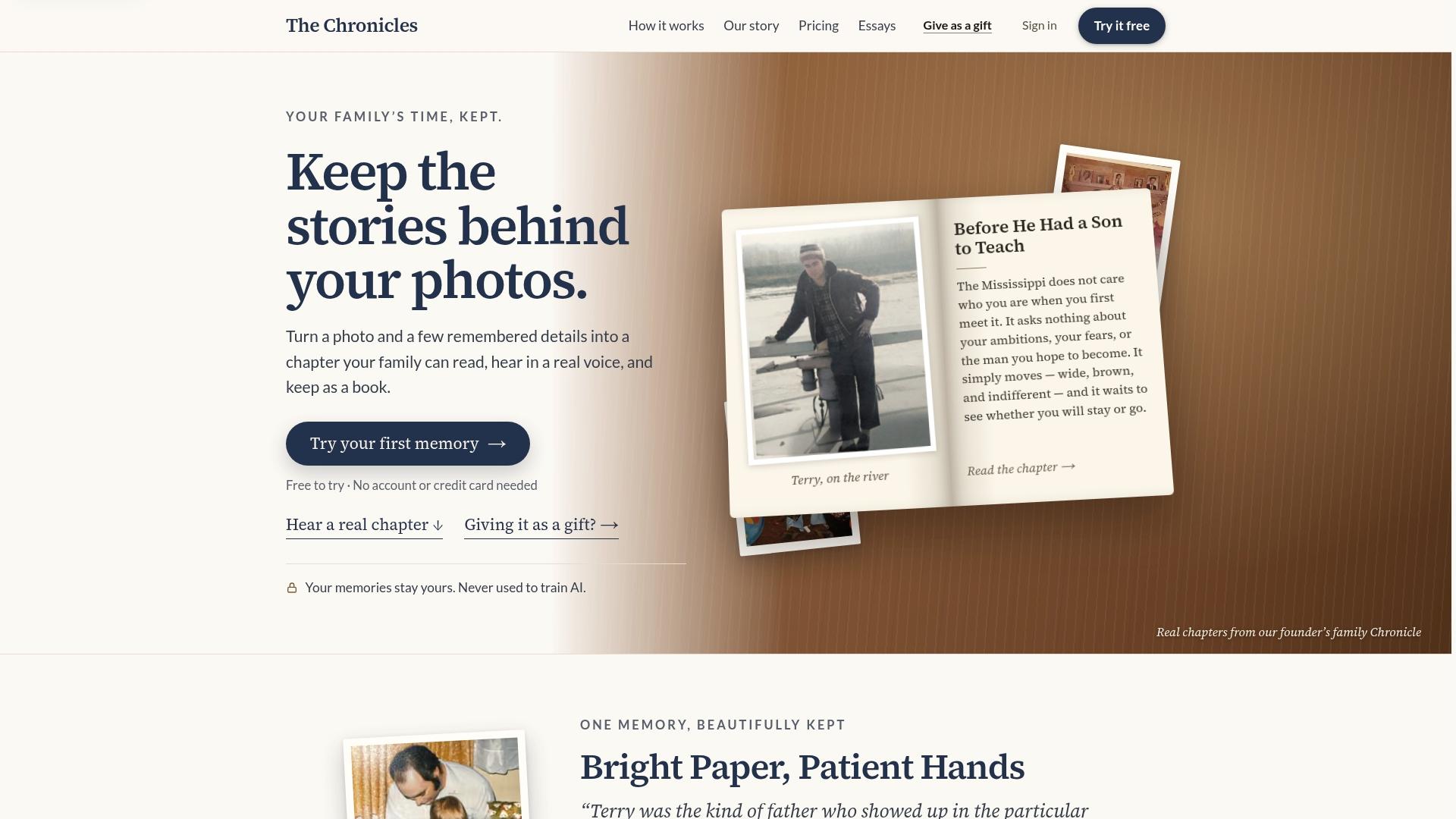
The plans are simple. Free costs $0. Chronicle is $7 per month and Family is $15 per month, and you can see the plans and start free. Printed books are separate: Paperback starts from $49 and Hardback from $99, one-off, on the book page. Prices are as published on our site, and free trials are available.
A few pages that go deeper:
- Write your life story from photos
- Voice memory book
- Create a family history book
- A family legacy book that grows with you
A simple plan for your first month
Big projects get done in small pieces. Here is a pace most busy families can keep.
- Week one: choose and gather. Pick one box of photos or one relative. Put the originals in a cool, dry spot in the main part of the house.
- Week two: scan and save. Digitize a batch, name the files, and store two copies in different places.
- Week three: ask. Have one conversation or send one set of questions. Write down the names and places while it is fresh.
- Week four: gather it into one place. Turn what you have into a few chapters, share them with the family, and ask who wants to add something.
Then repeat. A family history is never finished. It just gets richer each time somebody remembers something new.
FAQ
What is the best way to preserve memories?
Combine safe storage with storytelling. Keep originals cool, dry and in archival containers, make at least two digital copies in separate places, and record the stories behind each photo or keepsake. Then collect everything in a book or chapter-by-chapter story so it gets read.
How do I record memories if my relative is not comfortable on camera?
Offer audio only, or send a few questions by email to answer over time. Baylor's guide suggests letting comfort decide between audio and video. Short, relaxed sessions about one photo at a time often produce the warmest stories.
How often should I check my digital backups?
The Library of Congress brochure suggests checking at least once a year that your copies can still be read, and creating new media copies every five years or when needed. Keep copies in separate physical locations.
Can I preserve memories of someone who has passed away?
Yes. Gather their photos, letters and recipes, then ask relatives and friends to share what they remember. A memorial book can start with a few chapters and grow as more people contribute.
Sources
- Preserving Your Digital Memories, U.S. National Archives
- The Legacy Project: A Guideline Booklet for Leaving a Legacy, Stanford Medicine
- What to Save, New York State Archives
- How to Preserve Family Archives, U.S. National Archives
- Caring for Private and Family Collections, NEDCC
- Family Treasures Toolkit, Smithsonian NMAAHC
- National Archives Fall Researcher News
- Personal Archiving brochure, Digital Preservation
- Preserving Your Memories, American Red Cross
- Seven Simple Tips to Begin Recording Your Family's Oral History, Baylor University
- Presenting Your Findings, Smithsonian Folklife and Oral History Interviewing Guide
Recommended
From the founder
Start your first chapter — three minutes, no account.
Drop in a photograph of someone you love. Write three sentences about a moment with them. The Chronicles writes the chapter.
Try it free →Questions or thoughts? kevin@thechronicles.life — I read everything.